


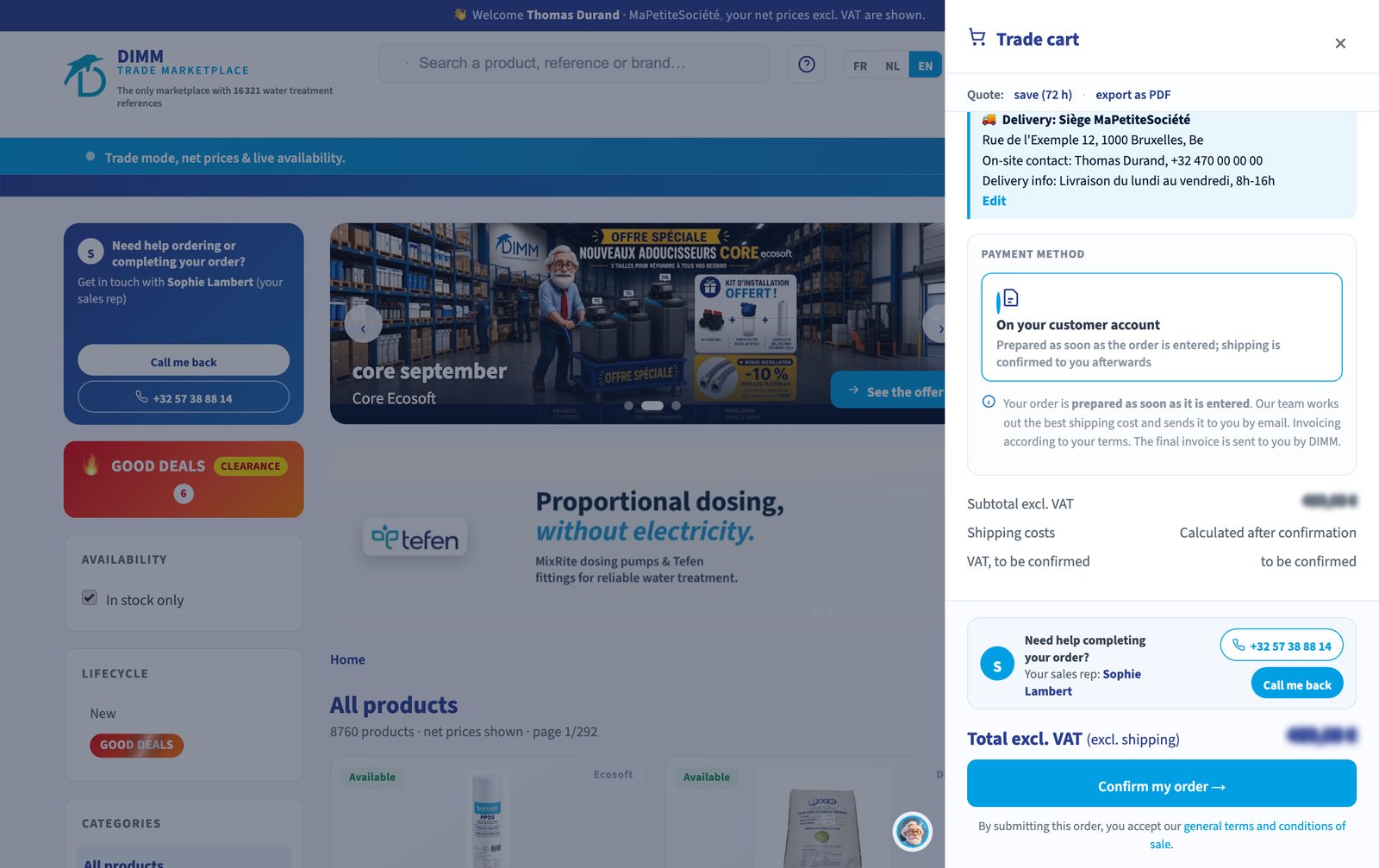
Ordering online does not change your payment terms. The MarketPlace automatically offers the payment method of your account, and guides you through to confirmation.
On your account
Do you have an open account with DIMM? Nothing to pay on the site: your order is prepared as soon as it is entered and invoiced to you under your usual terms.
By bank transfer
You receive by email a proforma invoice, transport included, with our bank details and a structured reference that lets your transfer be matched to your order without error. The order is prepared as soon as the funds are received.
By card
You receive the proforma invoice and a secure payment link. Payment is made on our bank's page: no card data passes through the MarketPlace. As soon as payment is confirmed, your order goes into processing and you receive an email confirmation.

Where to pay?
For a transfer or a card, the Pay button appears in My account > My orders as soon as the final amount, transport included, is confirmed. The order status tells you where it stands: "Awaiting payment", then "Processing".
The DIMM tip
For a transfer, always reuse the structured reference shown on the proforma. It lets our accounts department attach your transfer to the right order and start its preparation without back-and-forth.
Good to know
A new customer's first order is paid at the time of ordering. To change your payment terms, contact your DIMM sales rep.
MarketPlace Pro DIMM
Find your orders and payments on the MarketPlace Pro. Find the whole series in The DIMM MarketPlace in focus