


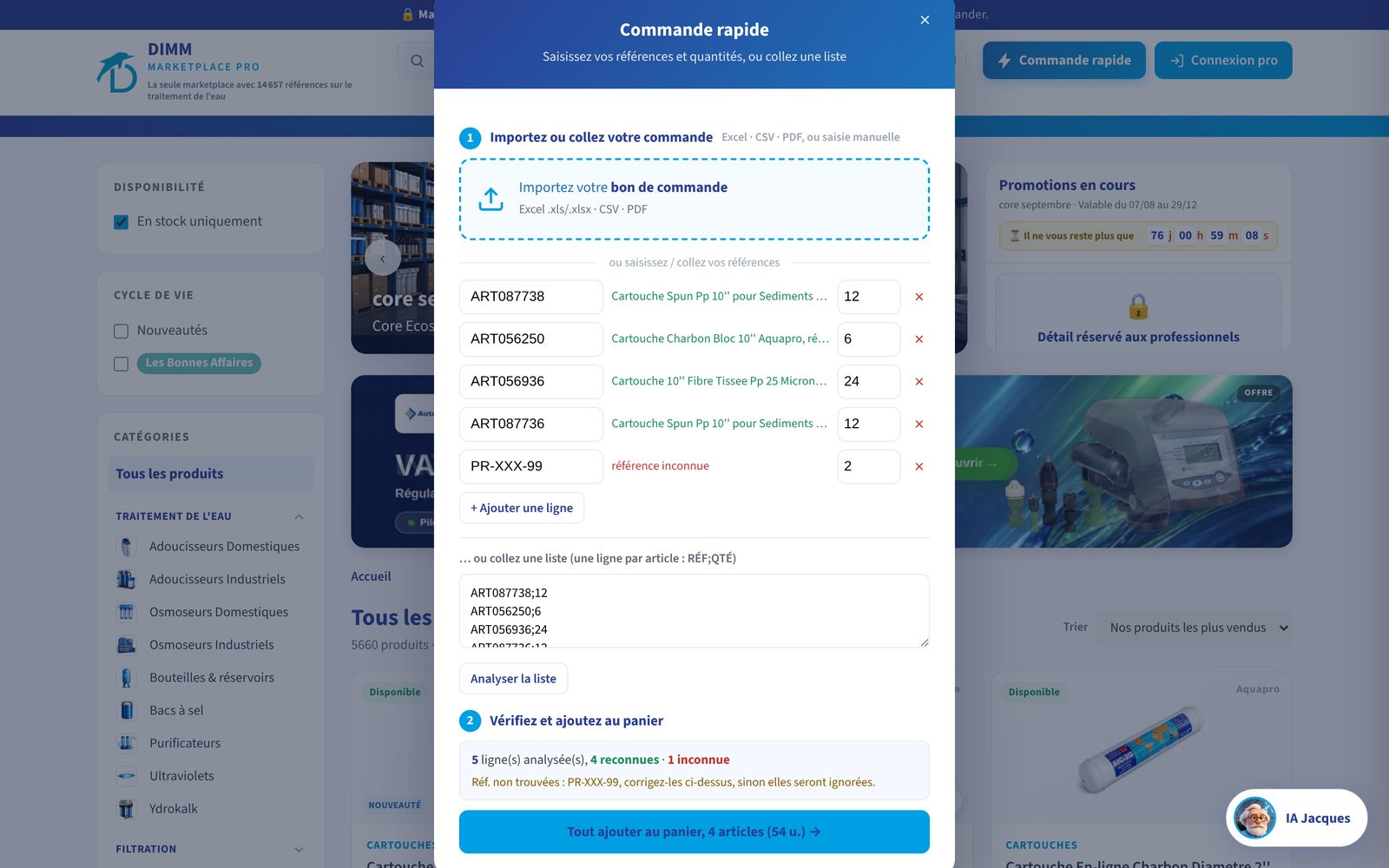
You know your references and quantities? With Quick Order on the MarketPlace Pro, you import your file, the platform recognises each item and fills the cart for you.
Designed for those who often order the same items
An installer replacing cartridges every week, a reseller restocking resin, a technical department with its parts list: you don't need to browse the catalogue to find what you already order. The Quick Order button, at the top of every MarketPlace page, opens a window that accepts your list in three forms.
Import your file
Drop your purchase order in the area provided, or click to choose it: Excel (.xlsx), CSV or PDF, up to 8 MB. The MarketPlace reads the document and keeps, on each line, the reference in the first column and the first quantity that follows. Header rows ("Reference", "Qty"…) are ignored automatically.
Enter line by line
Type a reference: the item name appears at once in green next to the field, or "unknown reference" in red. You adjust the quantity, add a line, remove one.
Paste a list
Got the list in an email or spreadsheet? Paste it, one line per item as REF;QTY (semicolon, comma and tab all work), then click "Analyse the list".
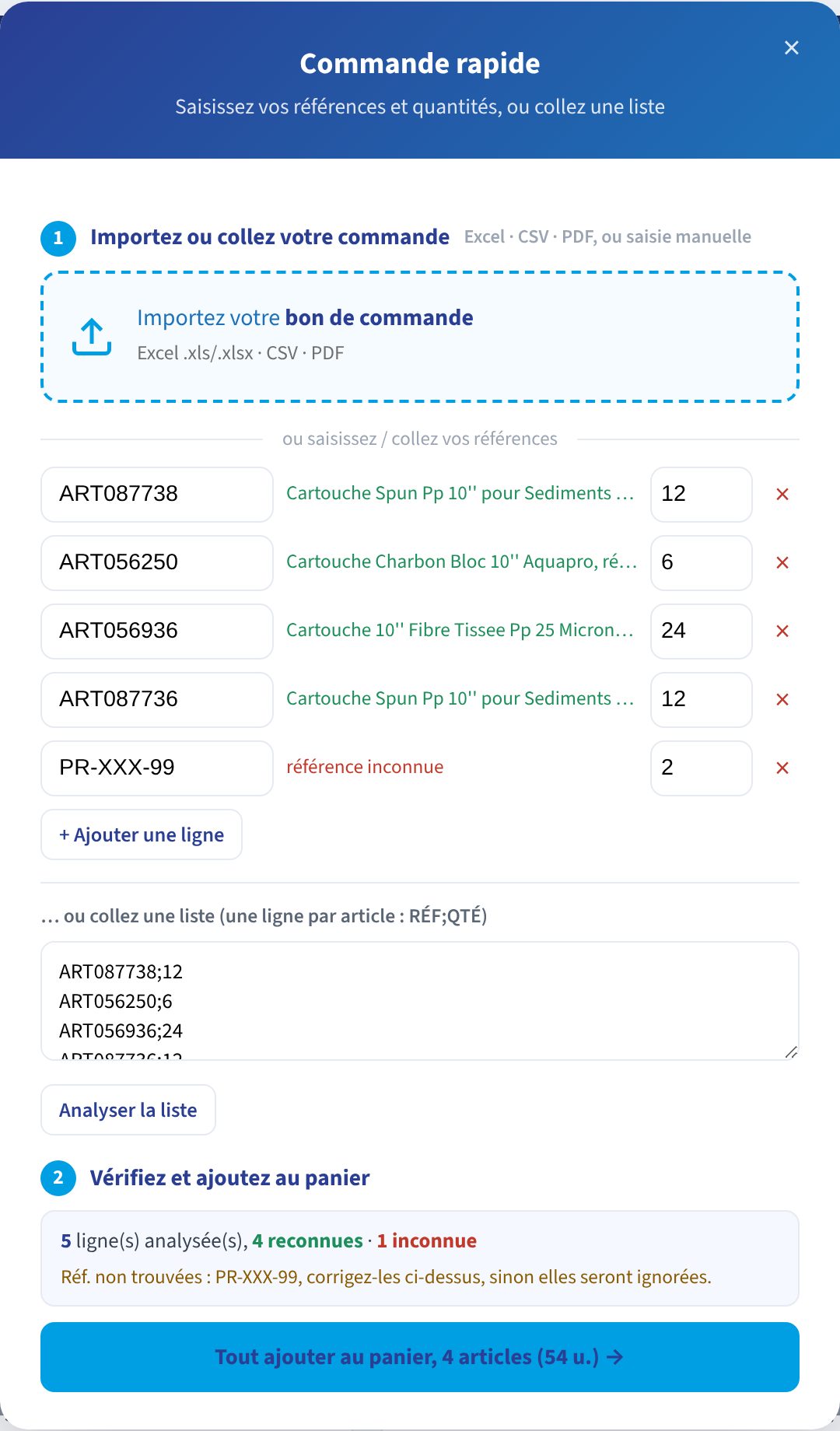
You check before anything enters the cart
Below the list, a summary takes stock: how many lines were analysed, how many are recognised, how many unknown, with the list of references to fix. Nothing is added until you click. A mistyped reference does not vanish silently: either you fix it, or you know it will be left out.
- Import, type or paste · the three ways can be combined in the same window.
- Read the summary · recognised lines are counted, unknown references listed.
- Add everything to the cart · a single click, then the cart opens with your items and your net prices excl. VAT.
- Finalise as usual · delivery address or pickup in Poperinge, payment method, confirmation.
Once in the cart, the order follows the usual path: choice of delivery address from those on your account (with the on-site contact and your access instructions), or pickup at our Poperinge depot, then confirmation. Prefer to think it over or have it approved internally? Save the cart as a quote, valid 72 hours, and convert it into an order in one click.
Which references to use?
Quick Order recognises DIMM article references, those starting with ART and shown on every product sheet ("Ref. ART056250") and in your order details. In manual entry, the field suggests matches as you type.
The DIMM tip
Keep an Excel "restock" file with your DIMM references in column A and your usual quantities in column B. When ordering, adjust the quantities and import it: your full restock is in the cart in under a minute.
Reserved for professional accounts
Quick Order, like prices and ordering, is available once you are signed in to your pro account. The catalogue and the sheets remain open to all.
DIMM MarketPlace Pro
Try Quick Order with your next restock: open the MarketPlace Pro. Find the whole MarketPlace series under The DIMM MarketPlace in focus.